

Hybrid Work Playbook 2026: Models, Automation & Outcomes
TL;DR
- Hybrid work has matured into a workflow model, not a location compromise.
- Four dominant patterns, flexible, fixed, office-first, and remote-first, define how teams operate.
- The success of hybrid teams depends on structured rituals, async visibility, and governance, not physical presence.
- Automation inside Slack + Jira helping agile teams to bring out the best.
What You’ll Learn
- What “hybrid work” truly means in 2026, beyond buzzwords.
- The four operational models shaping hybrid strategies across industries.
- Why organizations are moving from where people work to how workflows move.
- Common failure modes, async blind spots, governance drift, and tool silos.
- How to design “hybrid-native” rituals that live inside Slack and Jira.
- A 90-day blueprint to automate standups, reports, and visibility loops.
- Metrics and governance standards to sustain hybrid work at scale.
Introduction
Hybrid work is no longer a halfway point between office and remote, it’s the default operating model for high-performing distributed teams.
By 2026, over 60% of remote-capable employees globally prefer a hybrid setup.. Enterprises now view it as a strategic capability: a system that blends autonomy with accountability, supported by workflow automation and digital visibility.
Yet “hybrid” has become a catch-all label. For many, it’s still a logistical patchwork, part office calendar, part remote exception policy. What distinguishes the top-performing hybrid organizations isn’t where people work; it’s how work flows. They’ve moved from coordination chaos to systemized rituals powered by tools like Slack and Jira, where automation handles alignment and reporting.
This playbook unpacks that shift. We’ll break down the real hybrid models in use today, expose the failure modes that hold teams back, and outline a concrete blueprint for building a hybrid-native operating system, one that runs on clarity, not calendars.
What “Hybrid Work” Actually Means in 2026
Hybrid work in 2026 is an adaptive structure balancing flexibility with operational discipline. It allows employees to choose where they work, home, office, or another location while ensuring that workflows, accountability, and collaboration remain consistent regardless of geography.
What’s changed since the early 2020s is intent. Hybrid work is no longer a reaction to remote mandates, it’s a designed system for distributed productivity.
Organizations now treat hybrid as an architecture, not an HR benefit.
- Flexibility with boundaries — freedom to choose location, guided by clear SLAs.
- Workflow visibility — shared dashboards, automated updates, and check-ins.
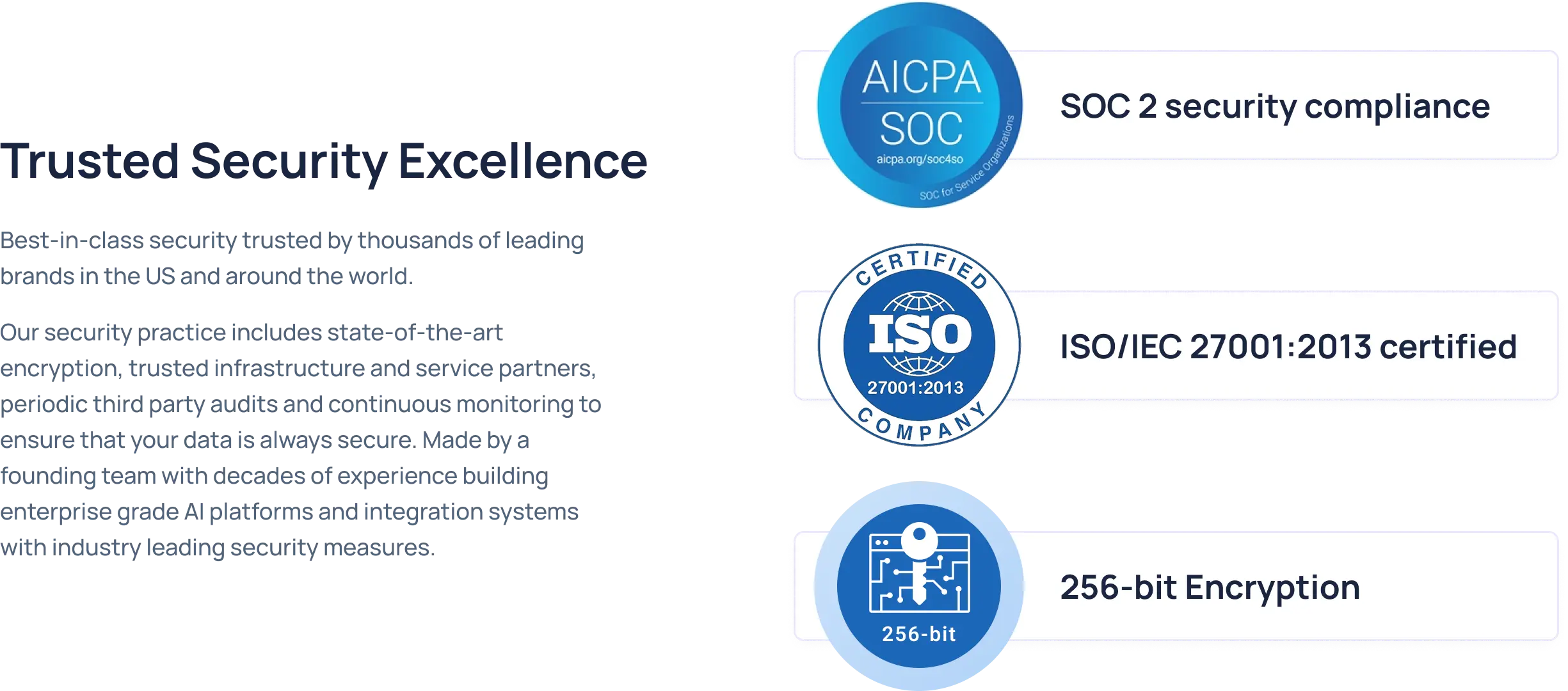
- Governance and compliance — structured access, SSO, SOC 2 controls.
- Asynchronous rhythm — team rituals embedded in chat platforms, not meeting invites.
This model acknowledges that collaboration, context, and accountability can coexist without co-location if workflows are digital, transparent, and automated.
Related Reading: Learn all about Hybrid work in 2025.
Four Core Models: Flexible, Fixed, Office-First, Remote-First (pros/cons)
Why the Debate Is Shifting from Place to Workflow Outcomes
The real hybrid challenge in 2026 isn’t location logistics, it’s workflow continuity.
According to MIT, poor leadership and fragmented systems, not hybrid models undermine performance. Teams that obsess over office attendance miss the real metric: how smoothly information and decisions flow.
The conversation has matured from “Where should people work?” to “How can work move autonomously through our systems?”
Troopr operationalizes this shift—bringing standups, retros, and Jira visibility into Slack channels. Teams get the same clarity as in an office war-room, minus the overhead.
See how Troopr turns Slack into a hybrid command center for distributed teams.
👉 Book a 5-minute demo
The Failure Modes That Sink Hybrid
Hybrid work rarely fails because of employee choice, it fails when workflows stay office-bound while people go remote.
Three recurring failure modes appear across distributed teams:
- Async Blind Spots: Updates shared in chat but never logged in tracking tools. Context gets lost, accountability blurs.
→ Fix: Automate standups and reports inside Slack using Troopr Check-ins to sync Jira updates automatically. - Governance Gaps: Security, audit, and access controls often lag behind distributed workflows.
→ Fix: Enforce SSO, RBAC, and SOC 2 controls — Troopr supports all three so automation stays compliant. - Tool Fragmentation: When teams juggle Slack for talk, Jira for tracking, and dashboards for reporting, visibility lags.
→ Fix: Unite communication and execution. With Troopr Slack–Jira Integration, standups, retros, and SLA reports flow inside Slack — no new software, no context-switching.
In short: hybrid collapses when systems stay siloed.
Automation reconnects them, turning hybrid from a coordination tax into an operational advantage.
Hybrid-Native Workflows
Hybrid work doesn’t fail because people work in different places, it fails because workflows do.
When meetings, approvals, or retros depend on physical presence or ad-hoc pings, distributed teams lose rhythm. The solution isn’t more structure; it’s rituals designed for async continuity, ones that function equally well across Slack channels and Jira boards.
A hybrid-native workflow is one where every recurring process - standup, sprint review, SLA check, decision log, operates digitally, automatically, and contextually. Everyone sees the same data at the same time, regardless of time zone or attendance.
Standups, Sprint Reports, SLAs, and Approvals Inside Slack
The hallmark of a mature hybrid team is how little they rely on live meetings to stay aligned. Instead of “status calls,” they run status systems.
Key rituals to systemize inside Slack:
Decision Logs and Retro Summaries to Jira Issues
Most hybrid teams struggle not with decision-making, but with decision recall. Important choices happen in Slack threads, retros, or meetings but vanish in the chat scroll. Without persistent logging, retros lose continuity and postmortems repeat mistakes.
Hybrid-native teams close that loop.
They automatically convert retrospectives, sprint outcomes, or key discussions into Jira issues or tagged pages for traceability.
The system design:
- Trigger: A retro or review session runs via Troopr Check-in in Slack.
- Capture: Troopr aggregates responses (e.g., “what went well,” “what didn’t,” “action items”).
- Sync: Action items automatically generate Jira issues linked to the relevant project.
- Visibility: A weekly report posts to Slack summarizing completion status.
This creates a closed feedback circuit, every insight becomes a tracked action.
Instead of fading into notes, learnings evolve into structured improvement.
Check out the Hybrid Work Template you can follow.
What Defines a Hybrid-Native Workflow
Hybrid-native workflows succeed because they live where communication happens in Slack and connect directly to where work is tracked Jira.
Every automation reduces dependency on live coordination and manual status collection.
Automation Inside Slack + Jira (Why the Work Should Live Where People Talk)
Automation is the foundation of hybrid scalability. Without it, hybrid teams collapse under coordination overhead, endless standups, dashboards, and “quick syncs.”
The best hybrid organizations now treat automation not as an IT perk but as workflow infrastructure. Work doesn’t live in dashboards or PM tools anymore. It lives in conversations, where people discuss, decide, and deliver.
That’s why the new operating principle is simple but profound: The work should live where people talk.
And in 2026, that means Slack.
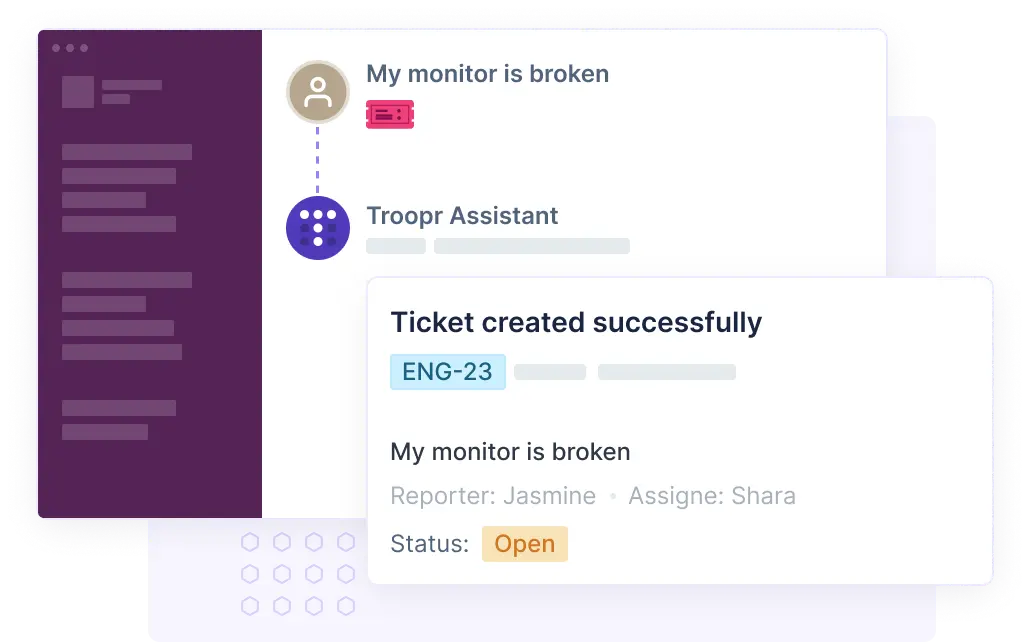
Troopr brings Jira workflows, reports, and check-ins directly into Slack, so every update, approval, or reminder happens where the conversation is already taking place — not in yet another tab or meeting.
Event-Driven Notifications, Scheduled Check-ins, Smart Nudges
In hybrid environments, async flow is fragile, one missed update can block a sprint. Event-driven automation keeps that from happening.
Key advantages:
- Zero manual follow-ups: No PM chasing updates.
- Proactive nudges: Slack reminders based on Jira data, not arbitrary timers.
- Consistent rhythm: Scheduled check-ins build reliability across time zones.
This automation framework creates a living rhythm of work: teams don’t “report” progress, progress reports itself.
Reducing Meetings with Async Reports and Issue Digests
Hybrid fatigue often stems from calendar sprawl. Teams compensate for lack of visibility with more meetings, standups, syncs, retros, SLA reviews. But async reporting makes most of these redundant.
Automated async reporting eliminates:
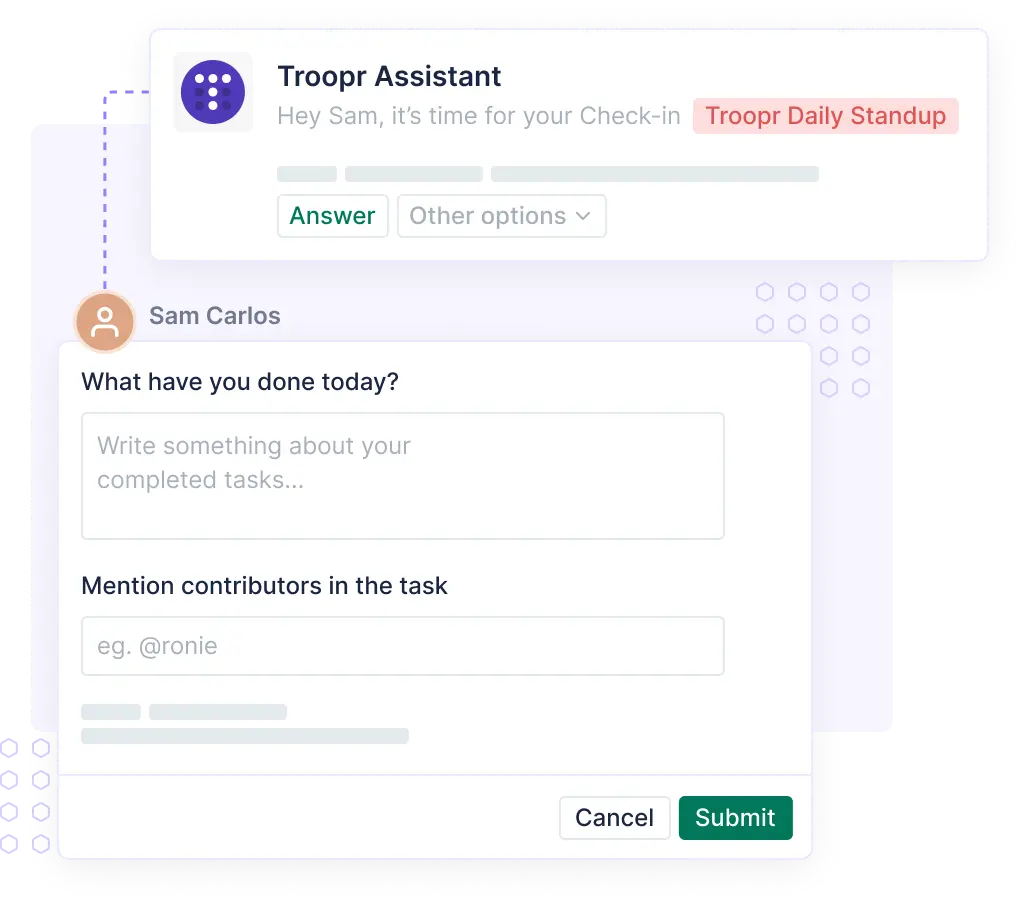
- Daily standups → replaced by auto check-ins and Jira summaries.
- Sprint review meetings → replaced by weekly Slack digests.
- Incident reviews → replaced by automated postmortem summaries.
Impact metrics (observed from customer deployments):
- ~30% reduction in meeting load across hybrid teams.
- Faster sprint completion rates (visibility-driven).
- Improved cross-timezone collaboration (no overlap dependency).
Example:
Creditas’ hybrid engineering teams automated daily standups and sprint summaries using Troopr. Updates that once took 45 minutes of synchronous calls now post automatically in Slack at the start of each day, saving 15+ hours per sprint cycle.
Troopr differentiator:
Most reporting tools require users to visit dashboards. Troopr reverses that — it brings the data to where people already are.
Summary of Section
Implementation Blueprint (90-Day Plan)
Rolling out hybrid work automation isn’t about flipping a switch — it’s a systems upgrade. This 90-day blueprint breaks the journey into three tactical phases, ensuring adoption, measurement, and governance evolve together.
Each phase has one objective: make hybrid workflows run autonomously where work already happens in Slack and Jira.
Contextual Reading: Productivity and Management Tools for Remote Leadership
Days 0 - 14: Map Rituals → Slack; Connect Jira; Set Check-ins
The first two weeks are about translation, not transformation. You’re mapping existing team rituals (standups, reviews, approvals) to Slack and setting up the integrations that power automation.
Step 1: Inventory your existing rituals
List every recurring meeting or update ritual - daily, weekly, monthly. For each, note:
- What’s the input? (team updates, bug counts, project status)
- What’s the output? (Jira update, dashboard, manager note)
- Who’s the audience? (team, leads, execs)
Step 2: Connect Slack + Jira
Integrate your Jira projects with Slack via Troopr Slack–Jira Integration.
- Grant access via SSO
- Choose default Slack channels for project updates
- Configure notification preferences by issue type or priority
Step 3: Set up automated check-ins
Use Troopr Check-ins to replace daily standups and progress reports.
Start with one async ritual (e.g., daily engineering standup).
- Define 3–4 concise questions
- Schedule by time zone
- Sync results to Jira automatically
Step 4: Baseline metrics
Record your team’s current averages:
- Meeting hours per week
- SLA adherence (%)
- PR or issue cycle time
- Response latency (to Slack/Jira mentions)
These become your “hybrid baseline” to measure improvement later.
Expected Outcome (end of week 2):
- All rituals mapped
- Slack + Jira connected
- First check-in automation live
- Metrics baseline captured
Days 15-45: Automate Reports; Define “Done”; Ship a Visibility SLA
Once the basics are live, it’s time to create operational consistency, so hybrid doesn’t mean “ad hoc.”
Step 1: Automate reports
- Configure Troopr Routines for sprint summaries and backlog trends.
- Post automatically to project channels every Friday or end-of-sprint.
Step 2: Define “Done”
Hybrid work requires alignment on completion criteria across distributed teams.
Document and publish your Definition of Done in Slack or Confluence — with Troopr, you can automate reminders for tasks that miss these conditions.
Step 3: Create visibility SLAs
An emerging best practice for hybrid teams is the visibility SLA, a team-wide norm defining how fast updates should surface, even without meetings.
Step 4: Measure async adoption
By mid-implementation, check adoption metrics:
- % of team responding to async check-ins
- Frequency of manual status meetings
- Number of Slack/Jira event-driven notifications per week
Expected Outcome:
- Automated reports and visibility SLAs in place
- Clear async “done” definitions
- First measurable reduction in manual sync meetings
Days 46-90: Measure Adoption; Retire Redundant Meetings/Dashboards
This final phase transitions the system from pilot to default mode of work.
Step 1: Track adoption metrics
Use Troopr and Slack analytics to measure:
- Participation rate in check-ins
- Jira update frequency per user
- Report views or Slack thread engagement
Low participation indicates missing incentives or timezone misalignment, tweak cadence, not people.
Step 2: Conduct hybrid health review
Measure key indicators:
- Response latency
- SLA adherence
- Cycle time trends
- Team sentiment (pulse survey)
If visibility metrics improve and meeting hours decline, you’re ready to codify the system.
Step 3: Retire redundant meetings
Identify meetings that can now be replaced by automation:
- “Daily syncs” → replaced by async check-ins
- “Sprint review” → replaced by auto-report
- “Weekly update” → replaced by Slack digest
Step 4: Optimize dashboards
Shut down legacy dashboards that duplicate Troopr Routines. Centralize visibility inside Slack, where conversations drive context.
Expected Outcome:
- Hybrid automation adopted as default
- Reporting cadence established
- Visibility SLAs operational
- 20–30% meeting reduction realized
Tech Stack & Guardrails
Hybrid work isn’t just a productivity model, it’s an architecture of trust.
When teams operate across geographies, tools, and devices, consistency and control become non-negotiable. The goal isn’t to centralize everything, but to create guardrails that allow distributed autonomy without compromising data security, compliance, or workflow hygiene.
A secure hybrid tech stack ensures that automation scales safely, whether you’re connecting Slack to Jira, integrating reports, or managing access for global teams.
Access, SSO, Roles: SOC 2 Type II Considerations
Access governance is the backbone of hybrid work reliability.The moment multiple tools and automation layers are introduced, who can see what becomes as critical as who does what.
Best-practice access principles for hybrid teams:
- Single Sign-On (SSO) enforcement
– Use centralized identity providers (Okta, Azure AD, Google Workspace) for all major tools.
– Apply MFA and automatic session expiry for Slack + Jira integrations.
– Troopr natively supports SSO to align with enterprise IAM standards. - Role-based access control (RBAC)
– Define granular permissions by function (developer, manager, admin).
– Limit Troopr automation triggers (e.g., who can post reports or configure check-ins).
– Apply least-privilege access across Slack channels linked to Jira projects. - Auditability & traceability
– Every automated report, check-in, and command must log who triggered it, when, and from where.
– Troopr’s event logs are exportable for SOC 2 audit trails and compliance reviews. - SOC 2 Type II alignment
– Validates not just design of controls (Type I) but ongoing operational effectiveness.
– Covers change management, data protection, uptime, and incident response.
Data Retention, Channel Hygiene, Naming Conventions
As hybrid collaboration scales, Slack channels and Jira projects multiply and so do risks of confusion or accidental exposure. Data hygiene becomes both an operational and a security requirement.
Data retention & compliance
- Configure Slack retention to match your organization’s data policy (common range: 90–365 days).
- Use Troopr’s built-in controls to ensure reports expire or refresh after each cycle.
- Archive completed sprint/report channels monthly to prevent clutter.
Channel hygiene
- Establish naming conventions that map to Jira projects:
- #proj-frontend-updates
- #ops-sla-alerts
- #eng-retro-q4
- Assign ownership for each channel (usually the project lead).
- Automate channel reminders via Troopr to review inactive spaces.
Information boundaries
- Keep public channels for non-sensitive updates; use private channels for issue details.
- Ensure Troopr automations respect these scopes, the platform supports granular channel permissions.
Version control for rituals
- Treat Slack automations as code: document check-in templates, report cadence, and alert logic.
- Maintain a simple “Automation Registry” in Confluence or Git, useful for audits and onboarding.
Why Guardrails Matter
Without these guardrails, even the best automation becomes technical debt. Security incidents often trace back to configuration drift, forgotten channels, stale access, or unmanaged integrations. Guardrails turn hybrid operations into a self-correcting system, where automation amplifies control rather than eroding it.
Practical checklist:
- SSO enforced across Slack + Jira
- RBAC defined for all Troopr automations
- Retention & channel hygiene policy documented
- Audit logs active and monitored monthly
- SOC 2 alignment reviewed annually
Learn out the policy matters when it comes to Hybrid Work.
Measuring Hybrid Health
Hybrid work only scales if you can measure what’s working and what isn’t.
The challenge: traditional metrics like “hours online” or “office attendance” reveal nothing about distributed team performance.
The new gold standard for hybrid visibility lies in response patterns, delivery cadence, and workflow health, data that tells you how well work moves across the system, not how often people log in. To make hybrid work measurable, high-performing teams monitor both leading and lagging indicators.
Leading indicators predict success; lagging indicators validate it. Together, they form a full operational health score for hybrid work.
Leading Indicators: Response Latency, PR/Issue Cycle Time, SLA Adherence
Leading indicators show early signs of hybrid success or dysfunction, they’re actionable and real-time.
Lagging Indicators: Velocity Stability, Incident MTTR, Employee Pulse
Lagging indicators validate whether your automation and rituals are improving overall outcomes. They confirm sustained performance, not just short-term adaptation.
Automation insight:
Hybrid health isn’t just about metrics, it’s about creating feedback loops. Each Troopr report, check-in, and summary serves as a data point for visibility. When performance trends change, leaders get notified immediately.
Evidence Round-Up: Preference & Productivity Research
External data reinforces what Troopr users experience in practice: Hybrid work is more productive and sustainable when systemized through automation.
What to be aware of:
- 60%+ of remote-capable employees prefer hybrid work.
- Engagement peaks when employees spend 2–3 days per week remote.
- The most successful hybrid teams operate with high visibility and consistent feedback cycles. [Source: Gallup: Hybrid Work Indicator]
- Hybrid failures correlate with poor leadership visibility, not location flexibility.
- Teams with structured async rituals outperform fully co-located peers in cycle time consistency. [Source: MIT Sloan]
- 64% of managers say they trust performance data more than physical presence.
- 70% of employees report “async transparency” as the top factor in work satisfaction.
Together, these studies underline one conclusion:
Hybrid success scales with workflow visibility, not attendance.
Common Pitfalls & How to Avoid Them
Even well-intentioned hybrid teams regress without guardrails.
The causes aren’t dramatic, they’re gradual. Meetings creep back in, dashboards multiply, and “hybrid” turns into an expensive simulation of office life.
Meeting Creep: When Async Becomes Sync Again
The moment visibility falters, leaders revert to the easiest tool they know: another meeting. It starts small, a “quick check-in” here, a “status sync” there, but within months, calendars look exactly like 2019 again.
Why it happens
- Lack of trust in async visibility.
- Manual reporting lag.
- No defined cadence for automation.
Consequences
- Lost focus hours (up to 4–6 hrs/week per engineer).
- Duplicated conversations between Slack and video calls.
- Lower engagement for distributed contributors.
Fix
- Automate before you schedule: Run a Troopr Check-in before calling a sync meeting 90% of the time, the async report answers the same questions.
- Standardize visibility windows: Example: “All sprint updates must post by 10 AM local time.” This creates an async rhythm without scheduling overlap.
- Track meeting ROI: Compare average duration × participants × frequency → eliminate those with low decision density.
“FYI” Overload - Information Without Prioritization
Hybrid visibility can backfire when every update becomes a broadcast. When teams automate without filters, they drown in noise, “FYI” messages that look like progress but hide what’s actionable.
Symptoms
- Channels filled with Jira notifications no one reads.
- Reports posted too frequently or without context.
- Team desensitization, people ignore important alerts.
Fix
- Tier your notifications:
- Tier 1: SLA breaches, blockers, incidents.
- Tier 2: Sprint or daily summaries.
- Tier 3: Informational (handled by dashboards).
- Route by role:
- Devs see issue-level updates.
- Leads see summary metrics.
- Execs see weekly digest.
- Use smart summaries: Troopr allows filters by issue type, label, or SLA status, ensuring only relevant updates surface.
Outcome:
You keep visibility high without turning Slack into a noise channel.
Orphaned Tickets: The Silent Productivity Killer
Hybrid teams often underestimate how quickly unassigned or outdated Jira tickets multiply. A single orphaned ticket can block downstream dependencies for days, invisible until it becomes urgent.
Root causes
- Async updates missing ownership tags.
- No automation to flag stale issues.
- Managers relying on manual review.
Fix
- Automate ownership pings: Troopr can auto-nudge owners when a ticket stays idle for >48 hours.
- Establish “visibility SLAs.”: Every ticket must have an update every two days — regardless of progress.
- Sync unassigned ticket reports: Troopr generates daily “Unassigned Issues Digest” in Slack, visible to leads.
Over-Indexing on Office Presence vs. Outcomes
The final trap is psychological. When metrics are unclear, managers often fall back on visible effort, attendance, chat activity, or online status as a proxy for output. This bias can quietly undo hybrid equity.
Why it persists
- Incomplete metrics (no async performance visibility).
- Legacy “seat-time” mindset.
- Poor alignment between autonomy and accountability.
Fix
- Replace presence-based tracking with outcome-based dashboards:
- Jira throughput, SLA adherence, response latency, PR merge time.
- Make every metric transparent in Slack so managers don’t rely on guesswork.
- Build trust loops: automate data → show it → discuss outcomes, not hours.
In depth reading: A Guide to Remote vs Hybrid
Conclusion: From Coordination Chaos to Hybrid Clarity
Hybrid work is no longer an experiment, it’s the default architecture for modern enterprises.
But without automation, structure, and visibility, even flexible models revert to friction and fatigue. The most successful hybrid teams treat workflows as living systems: measurable, automated, and self-sustaining.
Troopr is purpose-built for that future. It connects Slack and Jira, the two systems where engineering and IT teams already live, and turns them into a hybrid operating layer where standups, reports, and decisions flow without meetings. In doing so, it redefines hybrid success not by attendance, but by accountability, clarity, and rhythm.
FAQ
Q1. What is hybrid work?
Hybrid work combines in-office and remote models, enabling employees to work flexibly while maintaining workflow consistency and visibility.
Q2. How do you manage hybrid teams effectively?
Use structured async rituals, automated reporting, and clear visibility SLAs. Tools like Troopr connect Slack and Jira to keep updates consistent without meetings.
Q3. What are common challenges in hybrid work?
The biggest are async blind spots, governance gaps, and fragmented tools, all of which reduce visibility and accountability.
Q4. How does Troopr help with hybrid work?
Troopr automates Jira workflows inside Slack, from standups and retros to SLA reports, eliminating manual status meetings and dashboards.
Q5. Is Troopr secure for enterprise use?
Yes. Troopr supports SSO, RBAC, encryption in transit and at rest, and SOC 2 Type II compliance for enterprise-grade assurance.
Q6. What metrics should I track for hybrid success?
Monitor response latency, cycle time, SLA adherence, and participation in async check-ins to measure hybrid health.
Q7. How long does it take to roll out hybrid automation?
A typical 90-day phased plan - mapping rituals, automating reports, and defining visibility SLAs, establishes a stable hybrid foundation.


The AI project manager for engineering teams. Forms its own view of the work and does the coordination, right where your team already works.
101 Arctic Circle, Round Rock, Texas 78664, United States.