



Troopr Projects
The Slack Jira integration that syncs both ways
Connect Jira to Slack and run project work in channels: create, update, and discuss issues where the conversation already happens. Threads sync to Jira comments and back, attachments move both ways, and Jira stays current without anyone copy-pasting.
Free for 10 users. No credit card required. All three modules on every plan.
.png)
A thread, the way it really happens.
Symptom, root cause, scope, decision, scattered across four people.
.png)
A complete Jira issue, ready to create.
Title, description, and fields populated from the discussion and your project config.
Trusted by 600+ engineering teams worldwide
A thread, the way it really happens.
Symptom, root cause, scope, decision, scattered across four people.
A complete Jira issue, ready to create.
Title, description, and fields populated from the discussion and your project config.
Bidirectional sync
Slack threads and Jira, kept in sync
The official app brings Jira into Slack, but the conversation that resolves the issue stays in Slack. Troopr syncs both directions, so the discussion lives on the issue and Jira reflects what was decided.
- Thread sync - Discuss an issue in a Slack thread; messages post as Jira comments and Jira comments flow back. One click to start.
- Channel sync - Dedicate a Slack channel to a Jira project; conversations become comments and Jira updates appear in the channel.
- File attachments both ways - Drag a file into the synced thread or channel and it attaches to the Jira issue, and the reverse.
- Guest facilitation - Teammates without a Jira license can join the synced conversation, so everyone stays on the same page.
.png)
.png)
Issue context
Every issue key becomes readable context
Mention an issue and Troopr unfurls it into a preview the whole channel can read and act on, no tab-switching to Jira to find out what ENG-1061 even is.
- Unfurl on key or URL- Any issue mentioned by key or link unfurls into a preview card with status, assignee, and metadata.
- Unfurl in channel or thread - Choose whether previews show in the main channel or quietly as a thread on the original message.
- Customize fields and actions - Show up to four fields that matter to your team and pick which actions appear on the card: transition, comment, and more.
- Start thread sync from the card - One click on the preview opens a discussion that actively syncs with Jira.
Notifications
The updates that matter, in the channel that owns them
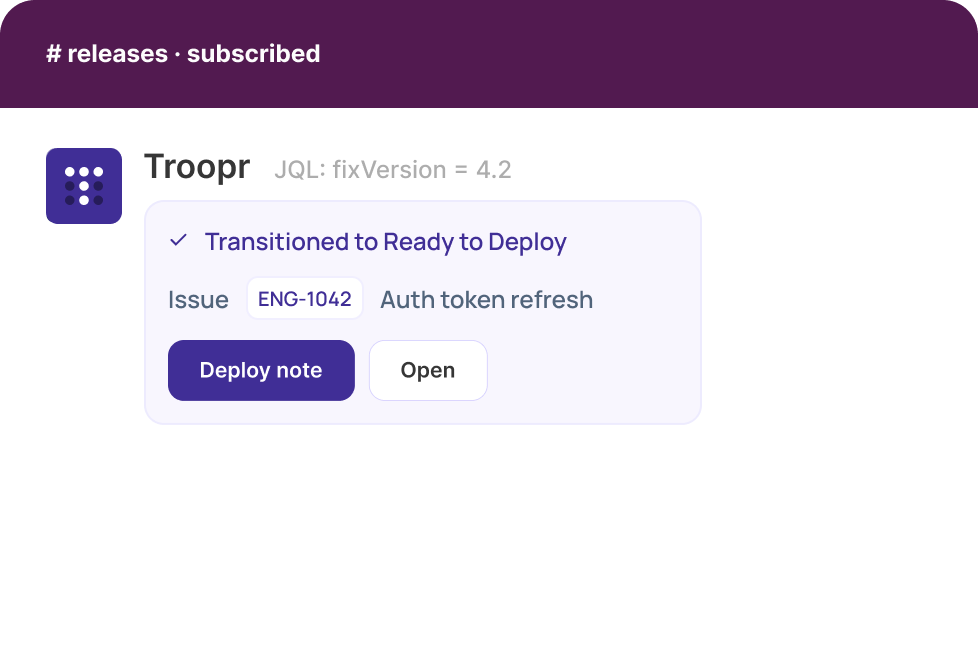
Most Jira notifications arrive as a personal firehose that people eventually tune out. Troopr routes them by channel and event, so each team sees only the work it owns, formatted the way it reads.
- Pick your events - Subscribe to issue creation, updates, transitions, sprint start and stop, and more.
- Compact or detailed, real-time or batched - Save channel space or expand the full context; deliver instantly or batched into custom intervals.
- Filter by JQL and status - Notify only on a custom JQL filter and specific status transitions, so the channel sees only what it owns.
- Actionable, customizable messages - Choose the attributes and actions on each notification; send a custom message to nudge the team. Optionally spawn a synced thread.
Create issues your way
Seven ways to turn a Slack moment into a Jira issue
However your team works, there is a path to an issue that never involves opening Jira, including Task It, which drafts the whole issue for you from a single message.
01
Message shortcut, Task It
On any message, choose Task It and AI auto-fills the title, description, priority, and suggested assignee.
02
Emoji
Add a configurable ticket emoji to any message to convert it into a Jira issue.
03
Global shortcut
Use the plus button in the Slack message box and choose Create Issue.
04
Slack App Home
Open Troopr in the sidebar and hit the +Issue button.
05
Slash command
Type /t create followed by a summary, anywhere in Slack.
06
Launcher
Type /t to open the Troopr launcher and click +Issue.
07
Auto-create in a channel
Enable auto-create and every message in the channel becomes an issue.
Compared
Troopr and the official Jira Cloud for Slack app
Nearly every team already runs the official app, and for notifications and quick issue creation it does the job. The difference shows up when the work itself moves into Slack. Here is how the two line up, Rovo included.
Troopr Projects
Jira Cloud for Slack (official + Rovo)
Issue previews on key or URL mention
Yes, customize up to 4 fields and which actions appear
Yes, fixed preview card
Create and transition issues from Slack
Yes, seven ways to create, including AI drafting with Task It
Yes, slash command, message action, and natural language via the @Jira Rovo agent
Slack conversation synced back to Jira
Yes, full thread and channel sync, both directions
Comments can post to Jira, but Jira comments do not push back to the Slack thread; no full bidirectional sync
File attachments both ways
Yes
No
Custom fields, defaults, dynamic forms
Yes, per-channel defaults, dynamic required-field forms, transition-rule aware
Limited; basic fields, custom fields and sprint assignment largely not accessible from Slack
Per-channel JQL-filtered notifications
Yes, JQL + status filters, compact or detailed, real-time or batched
Channel and personal notifications filtered by project, type, and priority
Guest access without a Jira license
Yes, guest facilitation
No
Async standups, retros, planning poker
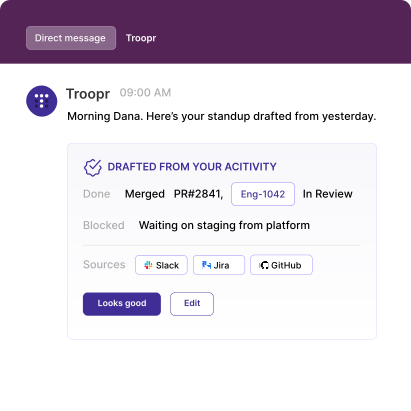
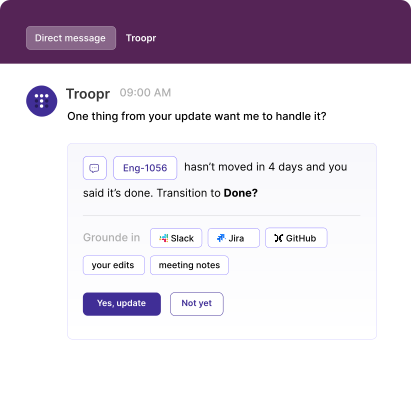
Yes, in Troopr Check-ins, on every plan
No
Scheduled Jira reports and nudges in Slack
Yes, in Troopr Routines
No
Reads GitHub activity for context
Yes, GitHub activity grounds standups and reports in what actually shipped
No
AI requirements
Task It works on every plan, no add-on
AI features require Rovo, enabled by an admin, on Premium or Enterprise
Price
Free for 10 users; then $6 per seat / month
Free app; Rovo AI gated behind paid Atlassian plans
Both apps work alongside each other; many teams keep the official app for personal notifications and use Troopr to run the work. You do not have to remove the official app to add Troopr. Official app capabilities verified from Atlassian and Slack Marketplace documentation, June 2026. Live-verify before publishing; Atlassian's Rovo scope and pricing shift frequently.
When the official app is genuinely enough
It is free, built by Atlassian, and almost certainly already installed in your Slack. For a team that just needs personal notifications, issue previews, and the occasional issue created from a message, the official app does that well with zero setup and no second vendor or bill.
If you are on Atlassian Cloud Premium or Enterprise and already pay for Rovo, its natural-language issue creation closes part of the AI-creation gap, and committing to the Atlassian AI roadmap is a reasonable call.
Troopr earns its place when the work itself happens in Slack: when threads need to sync back to Jira, when channels need filtered notifications and standups and reports, and when you want standups that write themselves from real Jira, GitHub, and Slack activity. If that is not you, the official app is a fine place to stay.
Everything else
Built for the way real Jira teams actually configure things
The depth that shows up once you are past the demo: admin control, form behavior, workflow fidelity, and deployment.
Multi-level access control
Administrator roles at both channel and account level; one or more admins for each.
Dynamic issue creation forms
Auto-discover required fields during creation, update, and transition, with value recognition and assistance.
Transition-rule support
Recognizes transition rules and workflow configurations for consistent behavior on every status change.
Creation-form customization
Hide fields and set per-project, per-issue-type defaults so they are pre-populated in Slack.
Issue display customization
Customize attributes and primary actions so people see only what is relevant.
Multi-message actions
Create issues from multiple messages, with buttons or commands and custom required fields.
Project restrictions
Allow or block specific projects per channel; designate projects for each team in the workspace.
Personalized dashboard
A per-user Slack home with quick actions, check-in reminders, custom issue lists, and personal reports.
Attachment to issue
Convert any message with an attached file into a Jira issue with the file attached.
Create on behalf of someone
Configure a guest facilitator and restrict access using service accounts.
Extensive command support
Most Jira actions through /t commands: create any issue, update any field, take actions.
Common filters
Build and share custom JQL filters so the team sees those issues in Slack by default.
Channel preferences
Deeply customize each channel: restrictions, forms, notification subscriptions, previews, and more.
Grounded in GitHub activity
Troopr reads GitHub activity to know what actually shipped, so standups and reports reflect the work, not just what was discussed.
Proof from engineering teams
Teams that stopped copy-pasting between Slack and Jira
Netflix
67%
Less time finding and updating Jira issues. Cleared by their internal security team.
Snowflake
86%
Of weekly status-meeting time eliminated after moving to async check-ins.
Roku
45%
Reduction in Slack ↔ Jira context-switching overhead.
Yahoo!
3.8 hrs
Saved per week for managers on meeting logistics. ~28 minutes a day saved per employee.
"We picked Troopr because it was cleared by our internal security team and the Jira integration just worked. Troopr boasts stable development and a responsive support team."
Engineering, Netflix · async standups via Check-ins
FAQ
Questions engineering teams ask
Do we have to remove the official Jira Cloud for Slack app?

No. Troopr runs alongside it. Many teams keep the official app for personal notifications and use Troopr for bidirectional sync, channel notifications, standups, and reports.
What's AI-powered in Troopr Projects?
Task It. From any Slack message, it drafts the full issue, title, description, priority, and a suggested assignee, ready to confirm. The rest of Projects, sync, notifications, and the other creation methods, runs on direct, predictable actions. Troopr's self-writing standup and AI summaries live in Troopr Check-ins.
How does bidirectional sync work?
Start a thread sync on an issue, or dedicate a channel to a project. Messages post as Jira comments, and Jira comments and status changes flow back into Slack. File attachments move both directions.
Is it free?
Free for 10 users with no credit card. Paid plans start at $6/seat/mo, and all three modules, Projects, Check-ins, and Routines, are included on every plan.
Run Jira from Slack, both ways
Join Netflix, Snowflake, Roku & 600+ engineering teams. Free for 10 users, no credit card required.

The AI project manager for engineering teams. Forms its own view of the work and does the coordination, right where your team already works.
101 Arctic Circle, Round Rock, Texas 78664, United States.